
When Silent Accumulation Drains Enterprise NAS Pools
Routine storage consumption usually stabilizes once production pipelines settle into their regular rhythm. In this enterprise environment, however, system engineers observed an alarming linear upward trend on the primary network volume. The shared asset drive was hemorrhaging approximately 42 gigabytes of storage capacity every seven days without any corresponding expansion in project asset count or deliverables. Project managers assumed the creative teams were authoring heavier assets, but project manifests contradicted that theory completely.
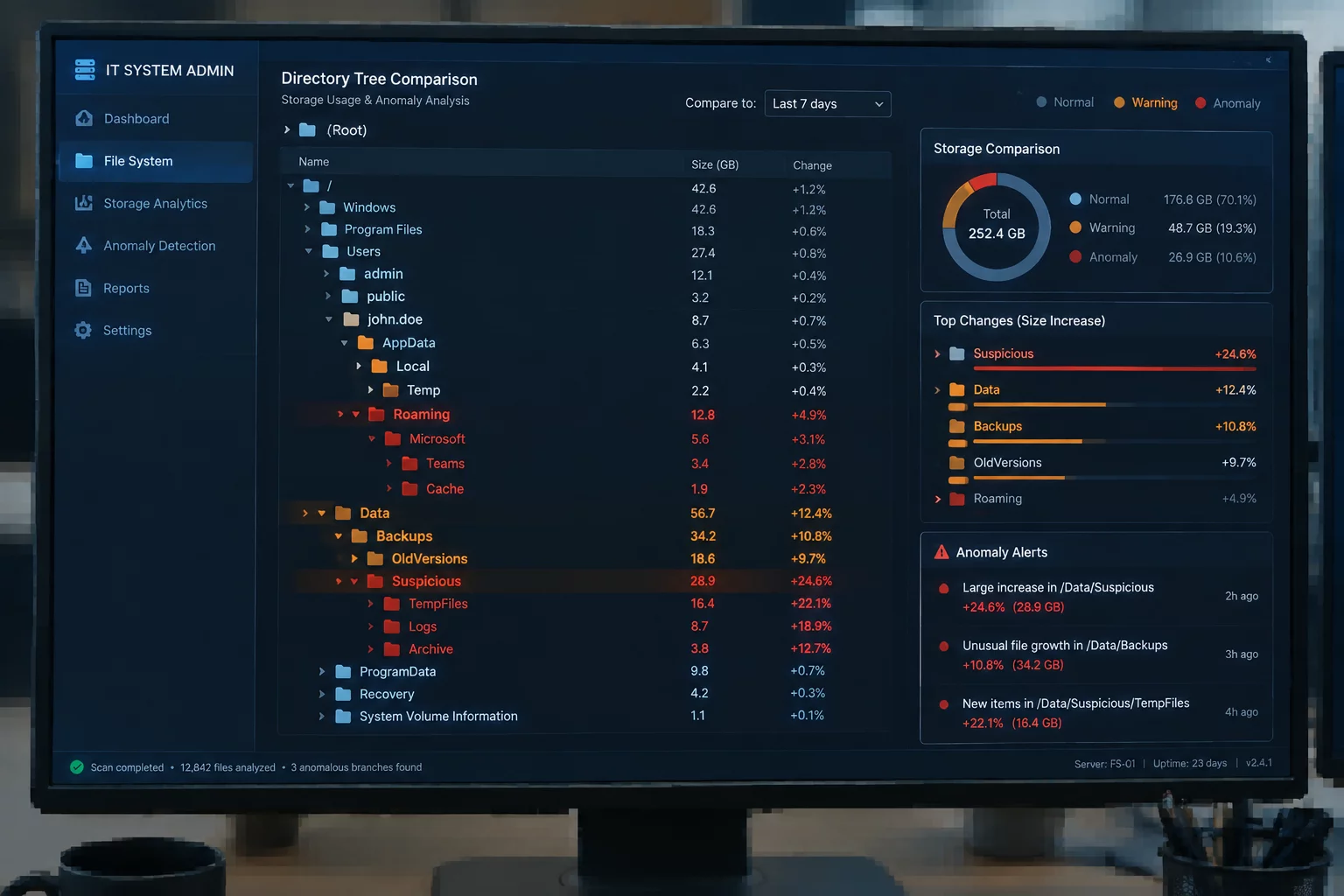
Standard directory viewers failed to pinpoint where the bloat originated because standard folder sizes appeared normal on top-level inspection. Taking weekly disk snapshots using differential file tree scanners revealed the true anomaly. A single nested directory named /dist/export_cache/staging/ was quietly persisting every build run rather than cycling them out, ballooning from an initial 18 GB footprint to over 350 GB in less than two months.
Compare periodic disk images to expose stealthy directory branches, orphaned staging files, and broken cleanup daemons across your infrastructure.
Isolating the Recurring Weekly Delta
Comparing snapshots taken exactly seven days apart immediately stripped away the noise of ordinary project activity. While day-to-day work created and modified hundreds of transient files across working trees, the delta analysis singled out an unmistakable signature of unpurged artifacts. The weekly automated job created temporary render bundles with unique timestamps, but the disposal subroutine was looking for fixed filenames that had been deprecated in a prior software update.
- Build pipeline generated timestamped scratch slices (.tmp_part) during every scheduled Friday archive export.
- The sanitation script targeted legacy .raw extensions, entirely skipping the new segmented stream containers.
- File permissions on the staging folder prevented secondary system maintenance crons from sweeping stale directories.
Because each worker node operated with sandboxed execution permissions, error notifications regarding failed file deletions were silently suppressed inside the worker log buffers. To ordinary team members checking their desktop shares, everything appeared functional. It was only through side-by-side snapshot comparison that the compound rate of 42.4 GB per cycle came into stark, undeniable focus.
“When export scripts fail to purge their temporary partitions, disk capacity vanishes predictably yet silently. Without differential snapshots, teams often end up buying more drives to store ghost data.”
Concrete Metrics from the Comparative Tree
Quantitative validation demonstrated that the active project files remained virtually unchanged between Sprint 14 and Sprint 22. In contrast, the export subfolder subtree expanded at an exact clockwork cadence. The following metrics were extracted directly from the snapshot differential engine during the initial forensic audit.
The differential scanner mapped every single orphaned file back to its specific batch execution timestamp. This indisputable evidence proved that none of the files inside the staging directory were referenced by the primary database or downstream distribution targets, clearing the path for an immediate reclaim procedure without risking asset integrity.
Pipeline Remediation & Automated Pruning Policy
Resolving the growth spiral required updating the export wrapper script to implement strict post-execution validation. The team replaced wildcard pattern matching with explicit manifest verification, ensuring that temporary render segments are purged the instant final distribution packages pass checksum verification. Additionally, an automated snapshot delta policy was scheduled to trigger threshold alerts whenever any single export directory exhibits an uncommitted growth rate exceeding 5% week-over-week.